Proxy
uniTerm supports establishing SSH-family connections through SOCKS5 / HTTP proxies, and AI model requests can also go through a proxy. Proxies are managed centrally in Settings → Proxy.
Managing Proxies
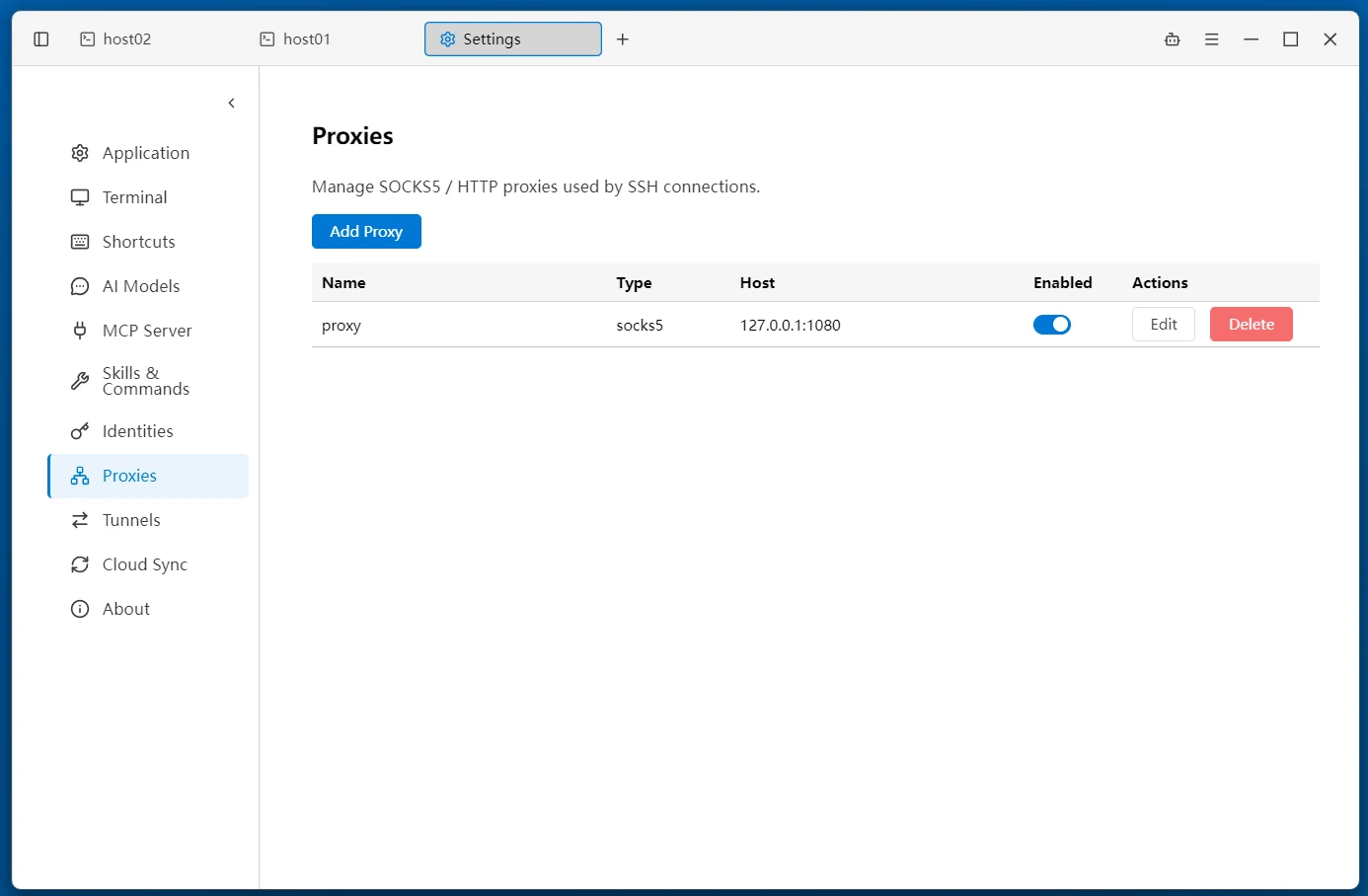
- Add a proxy — click the button above the list to open the creation dialog
- Edit / Delete — inline actions on each list row; deletion takes effect immediately
- The list shows Name / Type / Host (
host:port) / the Enabled toggle
Next to the proxy dropdown in the connection form and the AI model form, there is also a + button for quickly creating a proxy; it is selected automatically after saving.
Creating a Proxy
| Field | Description |
|---|---|
| Name | Required, so the proxy is easy to recognize in connections |
| Type | SOCKS5 (default) or HTTP (via HTTP CONNECT) |
| Host | Proxy server address, e.g. 127.0.0.1 |
| Port | 1–65535; SOCKS5 defaults to 1080 |
| Username / Password | Optional, fill in if the proxy requires authentication |
Proxy passwords are stored encrypted.
Enabling and Disabling
Each proxy has its own Enabled toggle:
- A disabled proxy appears grayed out in the connection form and AI model form dropdowns, marked as disabled
- If a saved connection references a disabled proxy, it automatically falls back to a direct connection instead of failing
Using Proxies in Connections
Proxies apply only to SSH-family connections: SSH / SFTP / SCP / Server Monitor. The connection form for these types has a Proxy dropdown:
- Leave empty — direct connection (bypassing both the system proxy and environment variables)
- Use system proxy — the fixed first option in the dropdown; resolves the operating system proxy based on the actual target
- Choose a proxy — pick an enabled proxy from the proxy list
System Proxy Resolution
When "Use system proxy" is selected, resolution proceeds in order based on the connection's actual target:
- Operating system proxy settings (Windows registry / macOS system configuration)
- PAC script — evaluated for the target
host:port; if PAC returns DIRECT, connect directly - Environment variable fallback —
HTTP_PROXY/HTTPS_PROXY
The result is not baked into the connection configuration — the same connection may resolve to a different proxy in a different network environment.
Proxying AI Model Requests
The AI model provider configuration has the same Proxy dropdown with three choices:
- No proxy (direct connection) — default
- Use system proxy — resolved automatically based on the model service address
- Choose a proxy — use a custom proxy from the proxy list
Fetching the model list, connection tests, and chat requests all go through the selected proxy.
Relationship with Tunnels
If the entry SSH connection of an SSH tunnel has a proxy configured, the tunnel's first hop dials through that proxy — the proxy applies to the tunnel's outbound connection, with no separate configuration on the tunnel. Note that the local SOCKS5 port started by the tunnel's "Dynamic forwarding" mode is a tunnel feature and is a different thing from the outbound proxies described here.
Related
- Remote Terminal — SSH connection configuration
- SSH Tunnel — tunnel management
- AI Assistant — model provider configuration