Remote Desktop
uniTerm integrates four remote desktop protocols, providing a smooth graphical remote control experience.
RDP
RDP (Remote Desktop Protocol) is the built-in remote desktop protocol of Windows.
Only supported on Windows clients. This feature is hidden on macOS and Linux versions. Uses the system's built-in Remote Desktop control.
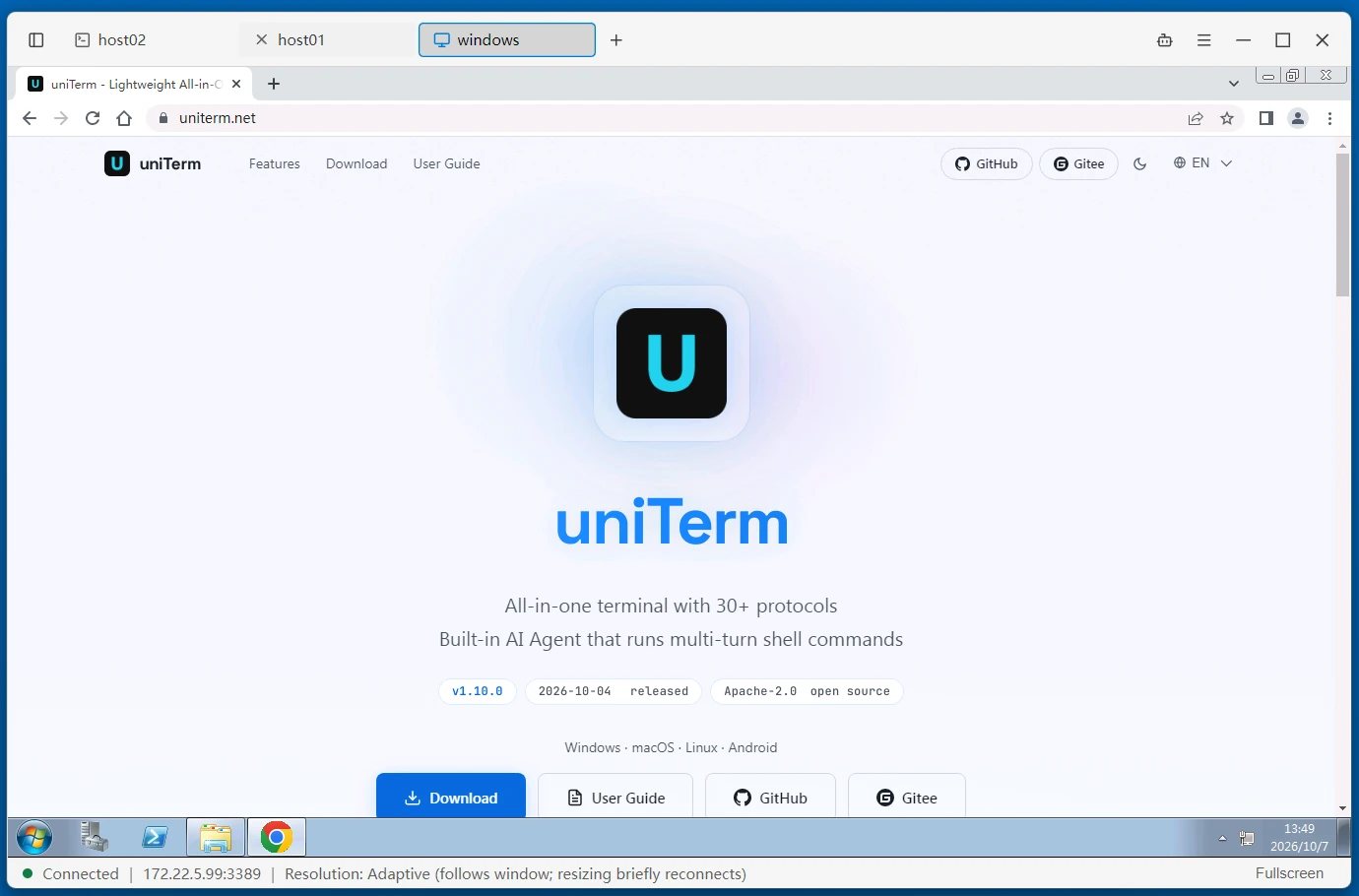
Connection Parameters
| Parameter | Description |
|---|---|
| Host | Windows host IP or domain name |
| Port | Default 3389 |
| Username | Windows login username |
| Password | Windows login password |
| Domain | Optional, the Windows domain name (e.g. WORKGROUP) |
| Session Mode | Normal session / Admin session (attach to the console session, like mstsc /admin) |
| Resolution | Full screen by default; alternatively choose a preset fixed resolution or a custom resolution |
| Smart Sizing | When enabled, the remote desktop automatically scales to fit the window size; off by default |
| Network Level Authentication | Enabled (compatible with all Windows versions, enter password in credential dialog) / Disabled (only for Windows 7 / Server 2008 and servers with NLA turned off) |
| SSH Tunnel | Select an existing SSH connection as a jump host |
VNC
VNC (Virtual Network Computing) is widely used for remote control of Linux systems, transmitted via the RFB protocol.
Connection Parameters
| Parameter | Description |
|---|---|
| Host | VNC server IP or domain name |
| Port | Default 5900. Values less than 100 are treated as libvirt display numbers (5900 is automatically added) |
| Password | VNC authentication password |
| Shared Session | When enabled, allow multiple clients to connect to the same VNC server simultaneously; when disabled, take exclusive connection |
| VNC Repeater ID | Set when connecting through an UltraVNC-compatible repeater; leave empty for direct connection to the VNC server |
| SSH Tunnel | Select an existing SSH connection as a jump host |
SPICE
SPICE (Simple Protocol for Independent Computing Environments) is optimized for KVM/QEMU virtual machines, providing a high-performance virtual desktop experience.
Connection Parameters
| Parameter | Description |
|---|---|
| Host | SPICE server IP or domain name |
| Port | Default 5900 |
| Password | SPICE authentication password |
SPICE does not support SSH tunnels.
X11 Desktop
X11 Desktop launches a complete Linux desktop environment (GNOME, KDE, XFCE, MATE, Cinnamon, Openbox) over an SSH connection, without requiring VNC or RDP services on the remote host.
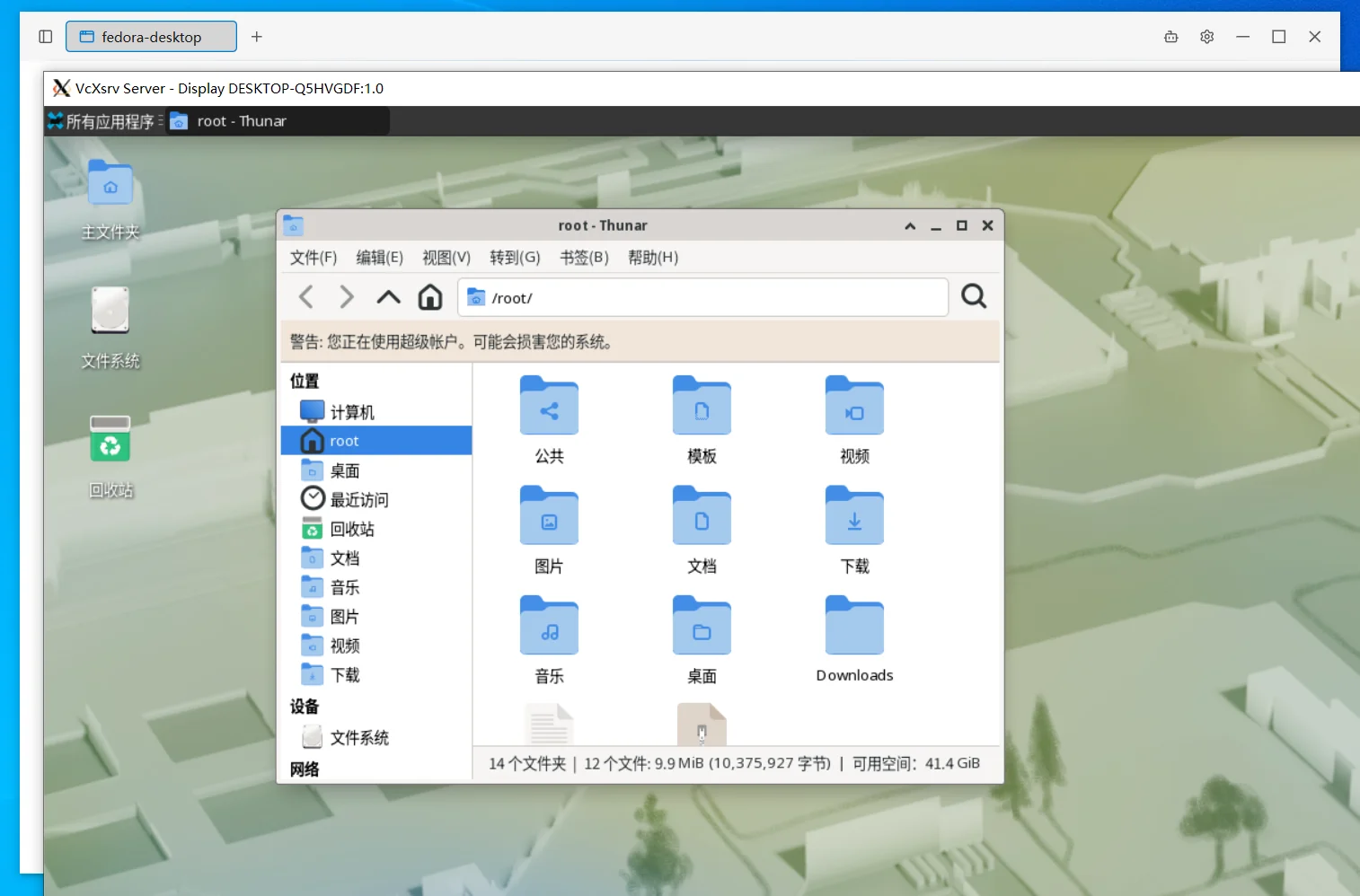
Windows version includes VcXsrv X Server built-in, ready to use out of the box. macOS users need to install XQuartz (
brew install --cask xquartz).
Connection Parameters
| Parameter | Description |
|---|---|
| Host | SSH server IP or domain name |
| Port | Default 22 |
| Username | SSH login username |
| Auth Type | Identity / Password / Key Path / Key Text / Kerberos / SSH Agent |
| Desktop Environment | Select GNOME, KDE, XFCE, MATE, Cinnamon, Openbox, or a custom command |
Related
- Remote Terminal -- SSH tunnels can be used to secure RDP/VNC connections