About uniTerm
uniTerm is a lightweight all-in-one terminal emulator supporting 30+ connection protocols, covering remote terminals, remote desktops, file transfers, database management, containers, and server monitoring. It ships with a built-in autonomous AI Agent that can independently plan and execute multi-round shell commands.
Supported platforms: Windows / macOS / Linux / Android.
Core Features
All-in-One Terminal
Cover all your remote access needs and get everything done in a single application.
Remote Terminal
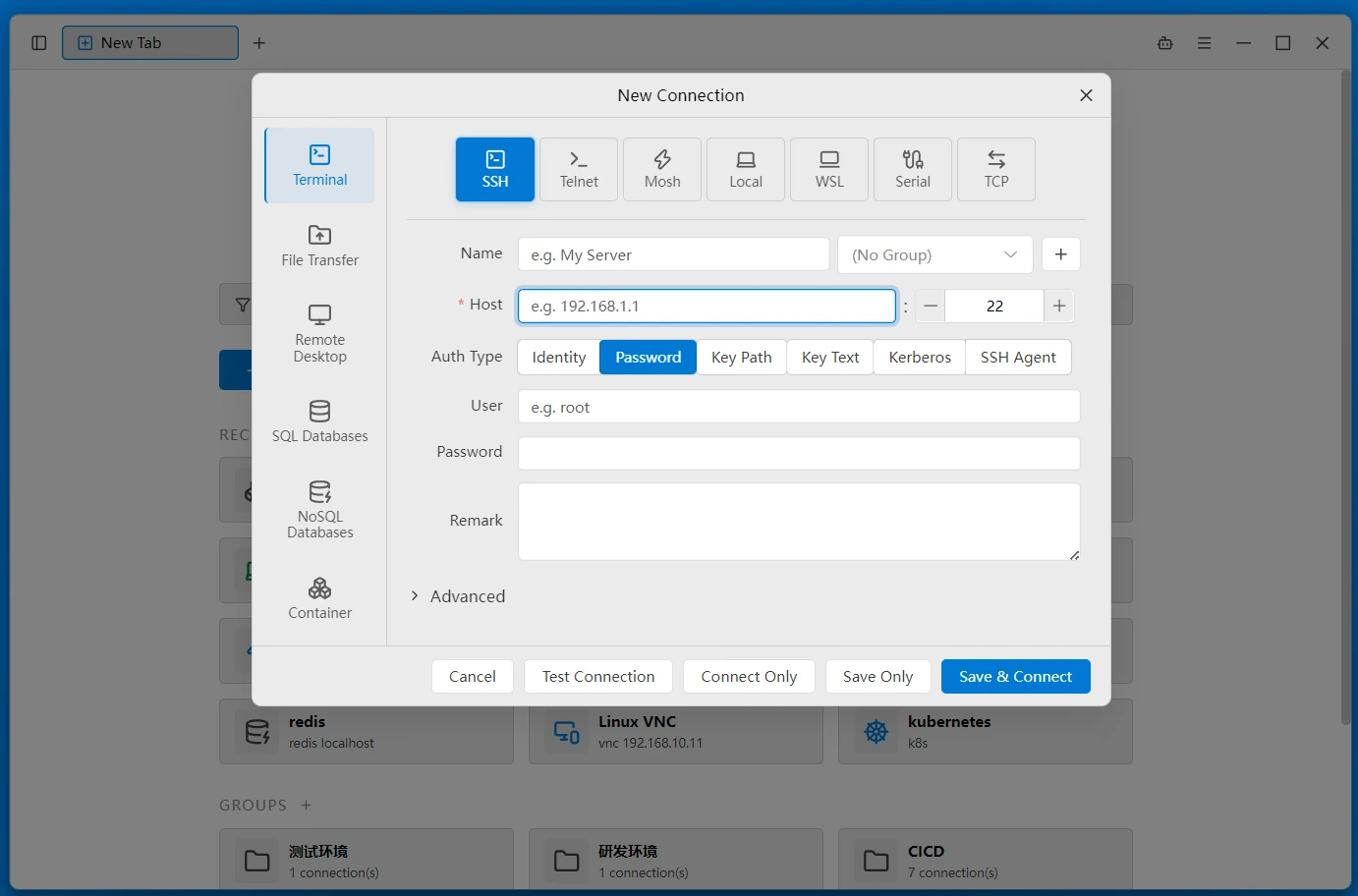
Connect to SSH servers with authentication via Keystore, password, key, Kerberos (GSSAPI), or SSH Agent, with agent forwarding support. Any connection can be routed through an SSH jump host. Also supports Telnet and Mosh (ideal for high-latency, intermittent network environments).
Local and Serial Terminal
Supports PowerShell / CMD / Git Bash / Cygwin / MSYS2 / Nushell / WSL local terminals and elevated (administrator) terminals, a Raw TCP console, and serial connections with configurable baud rate, data bits, stop bits, and parity.
File Transfer
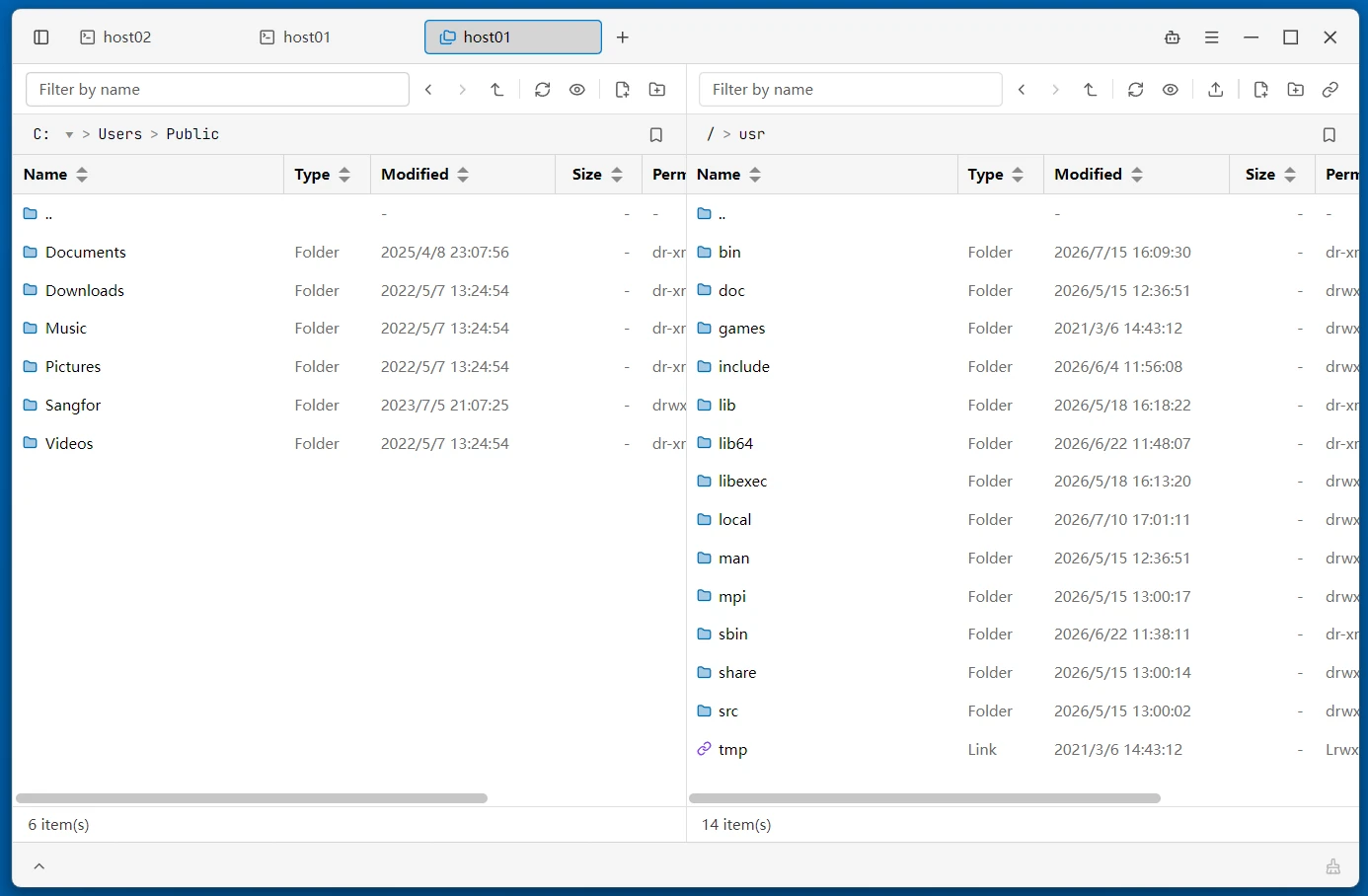
Built-in SFTP / SCP / FTP / FTPS / SMB / WebDAV / S3 dual-pane file browser and file sidebar, with WSL file management, Zmodem (rz/sz), and unified transfer tasks (failed-transfer retry, per-file details).
Remote Desktop
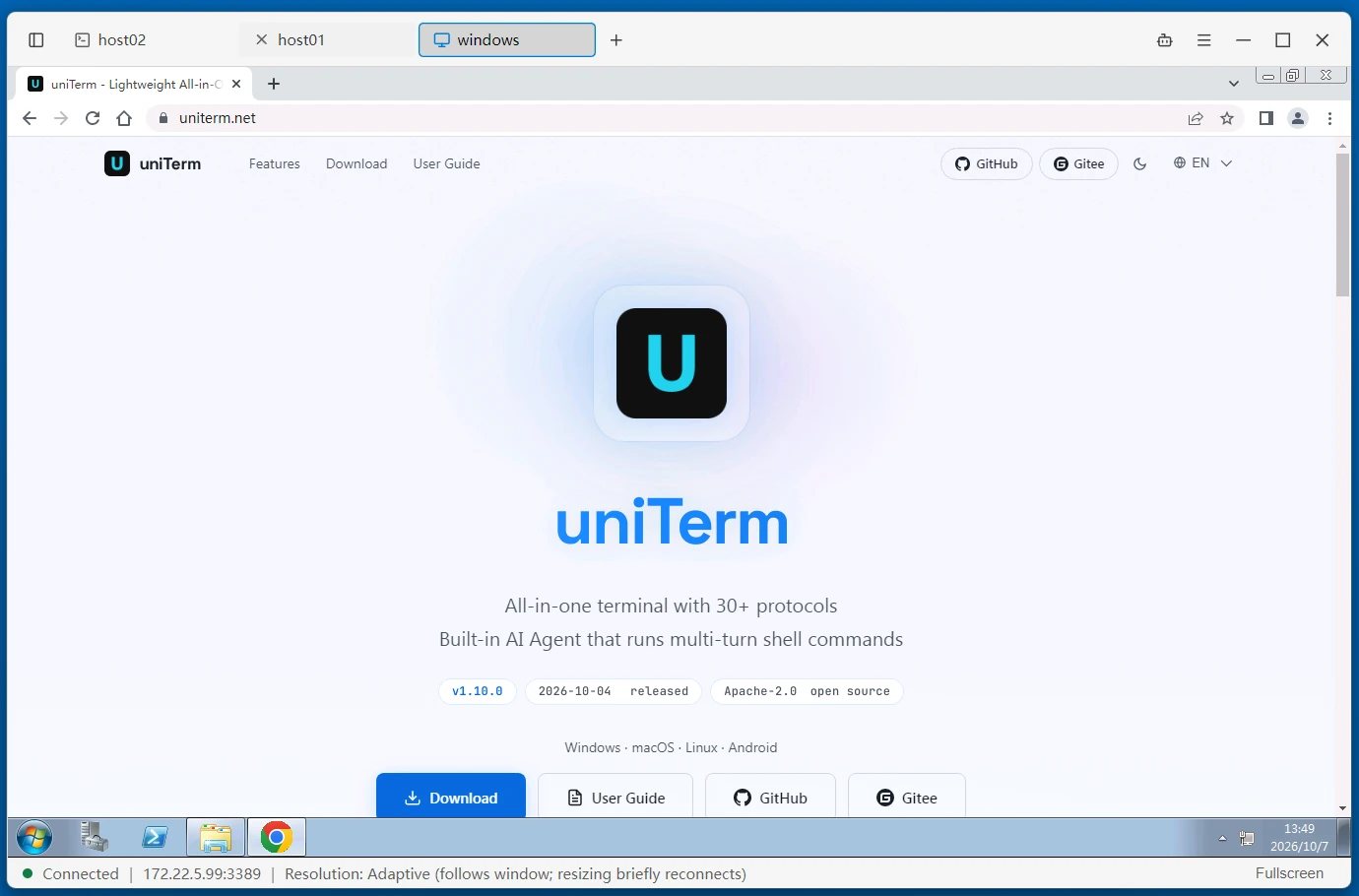
Integrated RDP (Windows Remote Desktop), VNC (Linux remote control), SPICE (KVM/QEMU virtual machine), and X11 (X Window GUI forwarding and full desktop) protocols provide a smooth graphical remote desktop experience.
Database Client
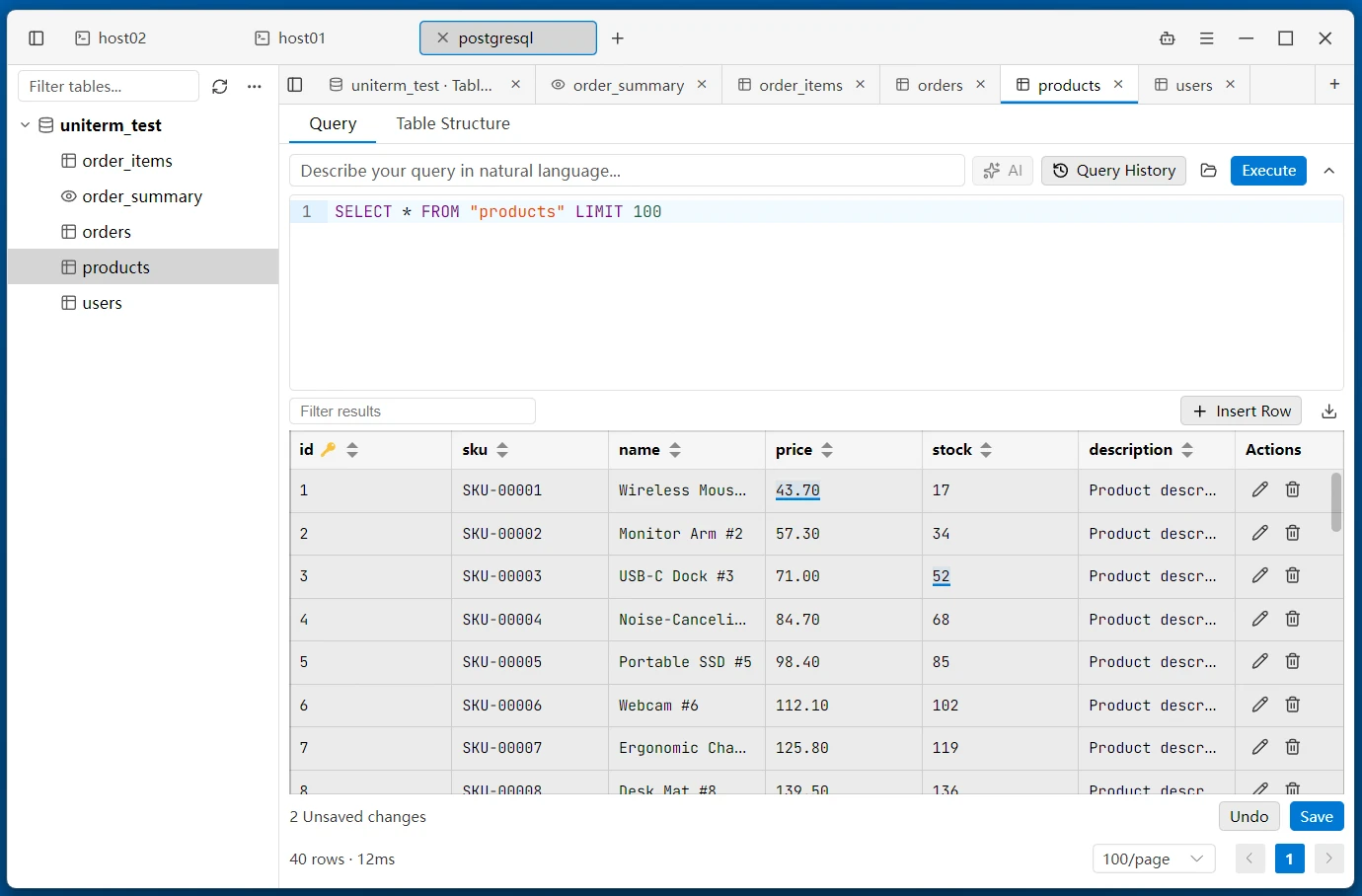
Supports MySQL / PostgreSQL / Oracle / SQL Server / rqlite / Redis / MongoDB / Elasticsearch, with inline editing, query history, result export, and script execution.
Containers
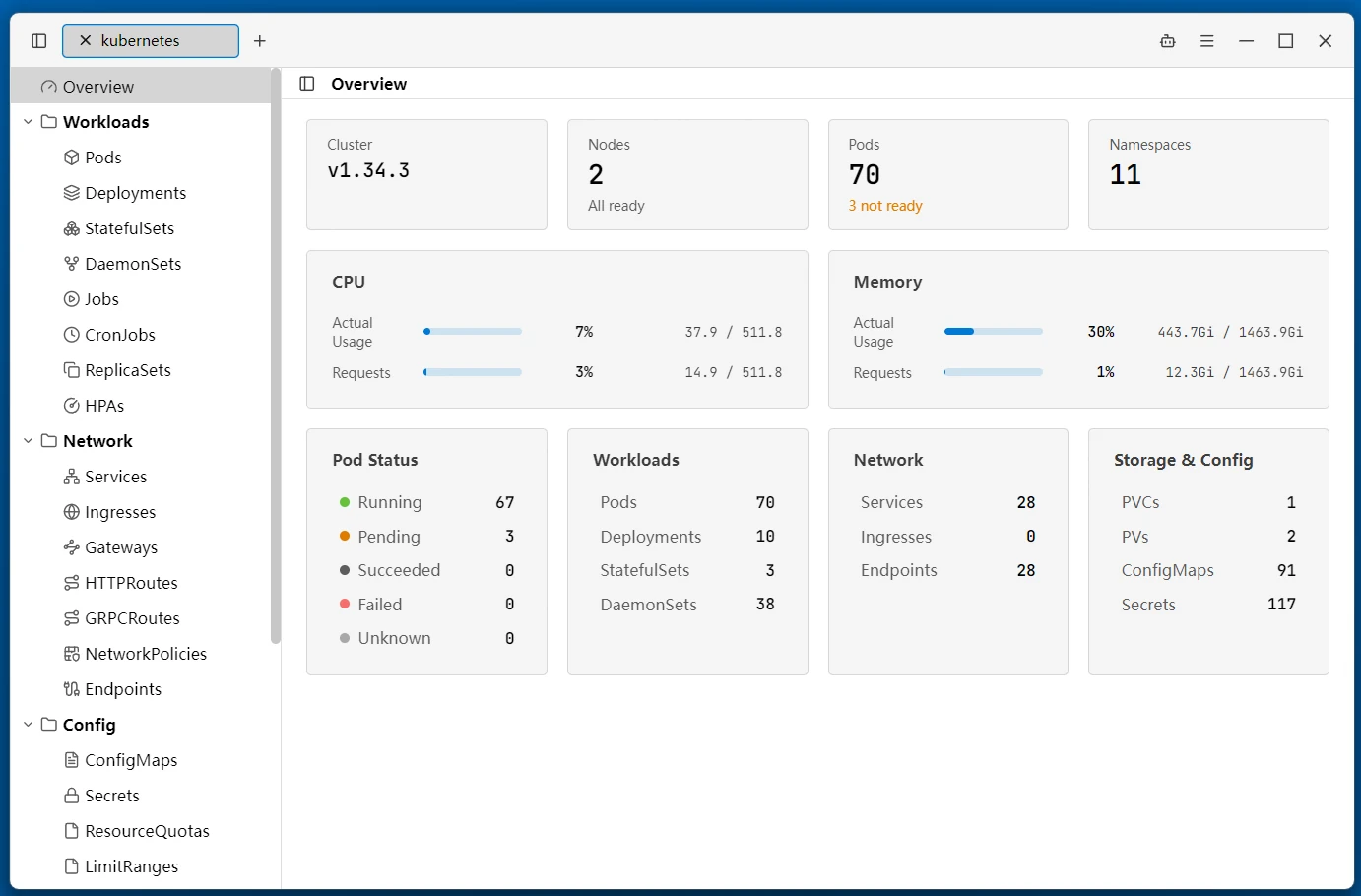
Integrated Kubernetes / Docker / Podman / nerdctl / WSLC management for cluster resources and container images on the local machine or remote hosts over SSH — with lifecycle actions, log following, and exec into a container terminal.
Server Monitor
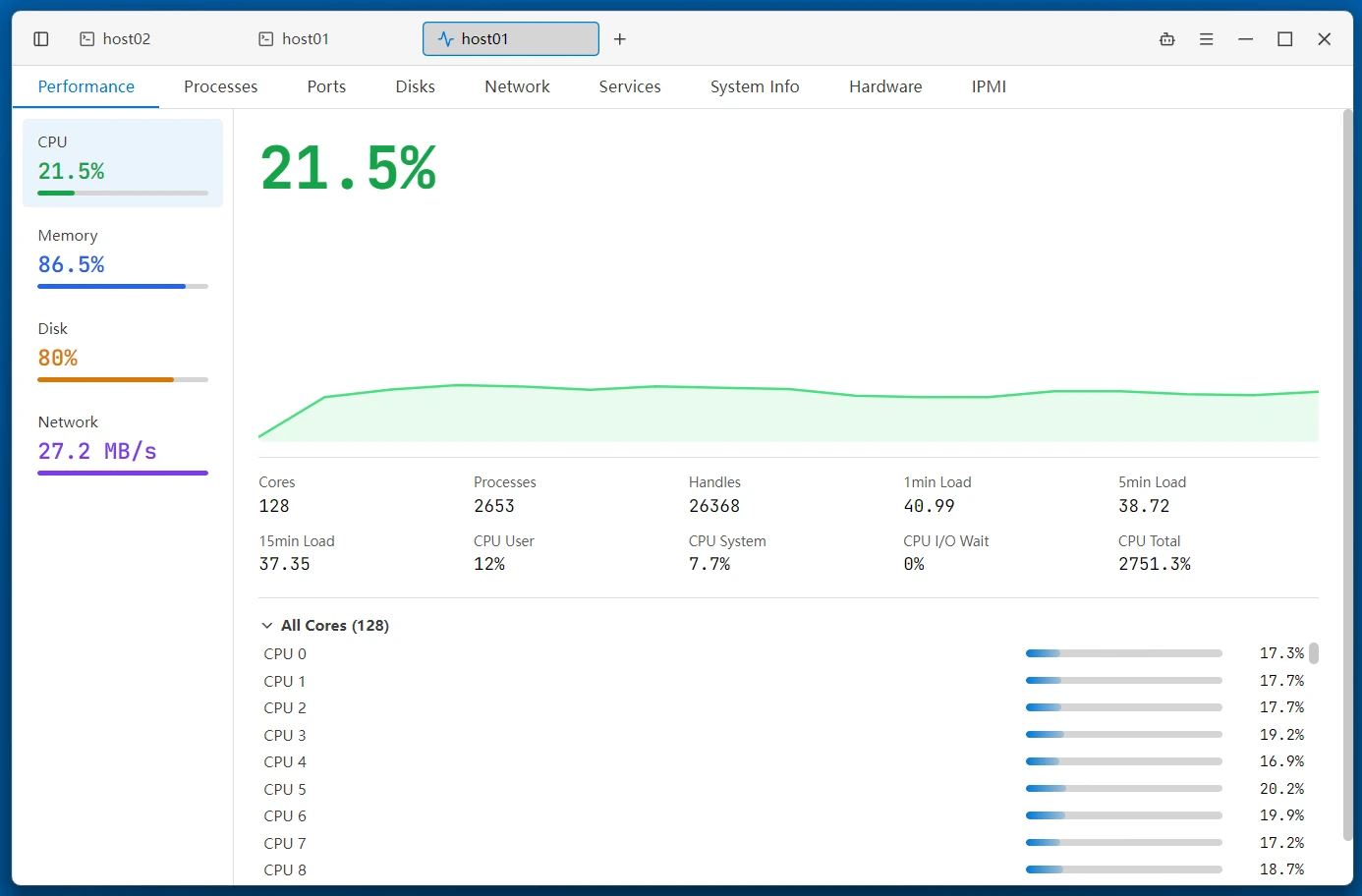
Monitor CPU / memory / network / disk and processes on remote hosts in real time, with port, disk, and network-adapter details, plus service management, hardware devices, IPMI sensors, and host clock drift detection.
Sidebar
Companion panels for Files, Monitor, Tunnels, Quick Commands, and more stay alongside your terminals. The file sidebar can follow the terminal's working directory and supports WSL file browsing.
AI Assistant
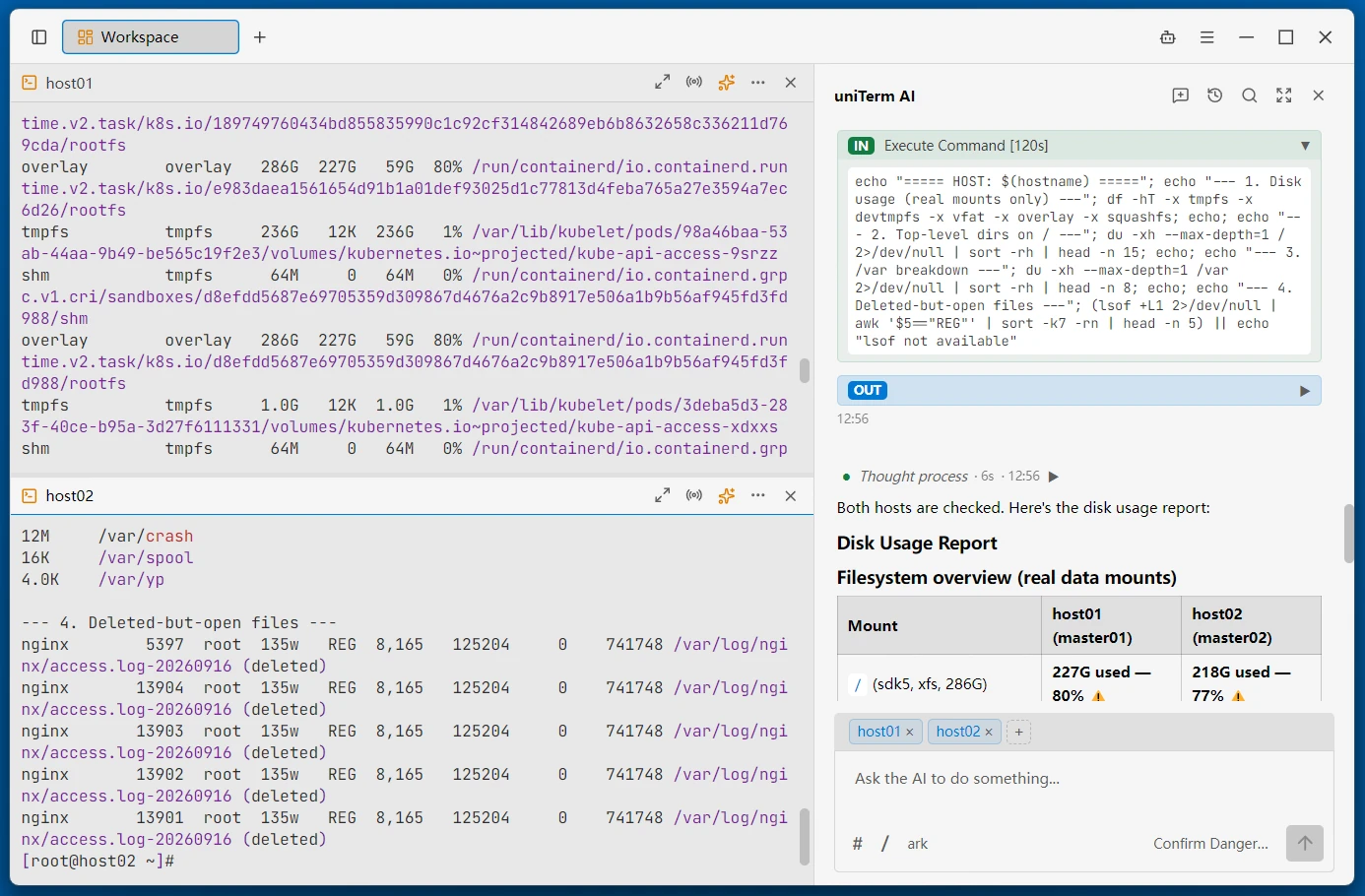
uniTerm ships with a built-in autonomous AI Agent that can independently plan and execute multi-round shell commands in the terminal.
- Autonomous Multi-Turn Execution — The AI Agent can plan, execute, observe results, and iterate across multiple rounds of shell commands without manual intervention.
- LLM Integration — Sidebar chat with Anthropic/OpenAI-compatible API, supporting Claude, GPT and other compliant models.
- Flexible Execution Modes — Bypass, dangerous only, dangerous + write, or confirm all — you control how much oversight the AI Agent needs.
- Terminal Integration — AI commands execute directly in the active terminal tab, with optional pinning to a specific tab or following your active one. Collaborate side-by-side in split panes, each with its own terminal context.
- MCP Server — Built-in MCP server that lets external AI agents (Claude Code, Codex, Gemini CLI, ...) run commands and transfer files on saved connections — credentials never leave the app.
- Skills & Commands — Reusable skill workflows and prompt-template commands, attached with
/in the AI input; the AI can also save new skills itself.
Personalization
Connection Management
Group, search, create, and batch-manage server connections, with frequently used connections pinned as favorites. One-click import from Xshell, MobaXterm, DBeaver, Navicat, virt-viewer (.vv), and more — everything at your fingertips.
Keystore & Proxies
Centrally manage reusable login credentials (passwords / private keys) and SOCKS5 / HTTP proxies. Reference them directly when connecting and sync them across devices.
Workspaces and Splits
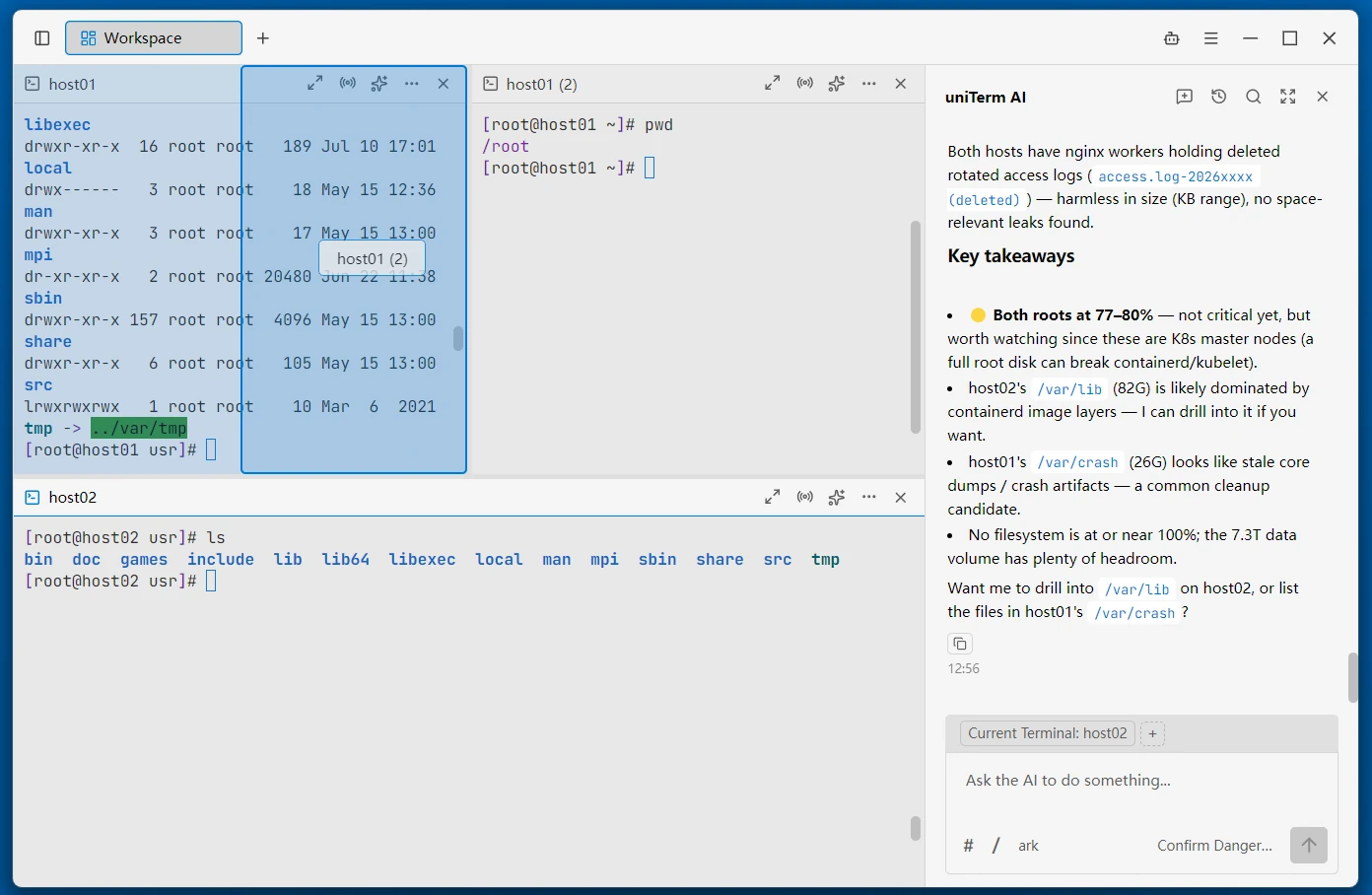
Drag and drop terminal tabs into the content area to freely split panes and combine them into workspaces; drag panel edges to resize and rearrange, with panel maximizing and app-wide input broadcasting.
Cloud Sync
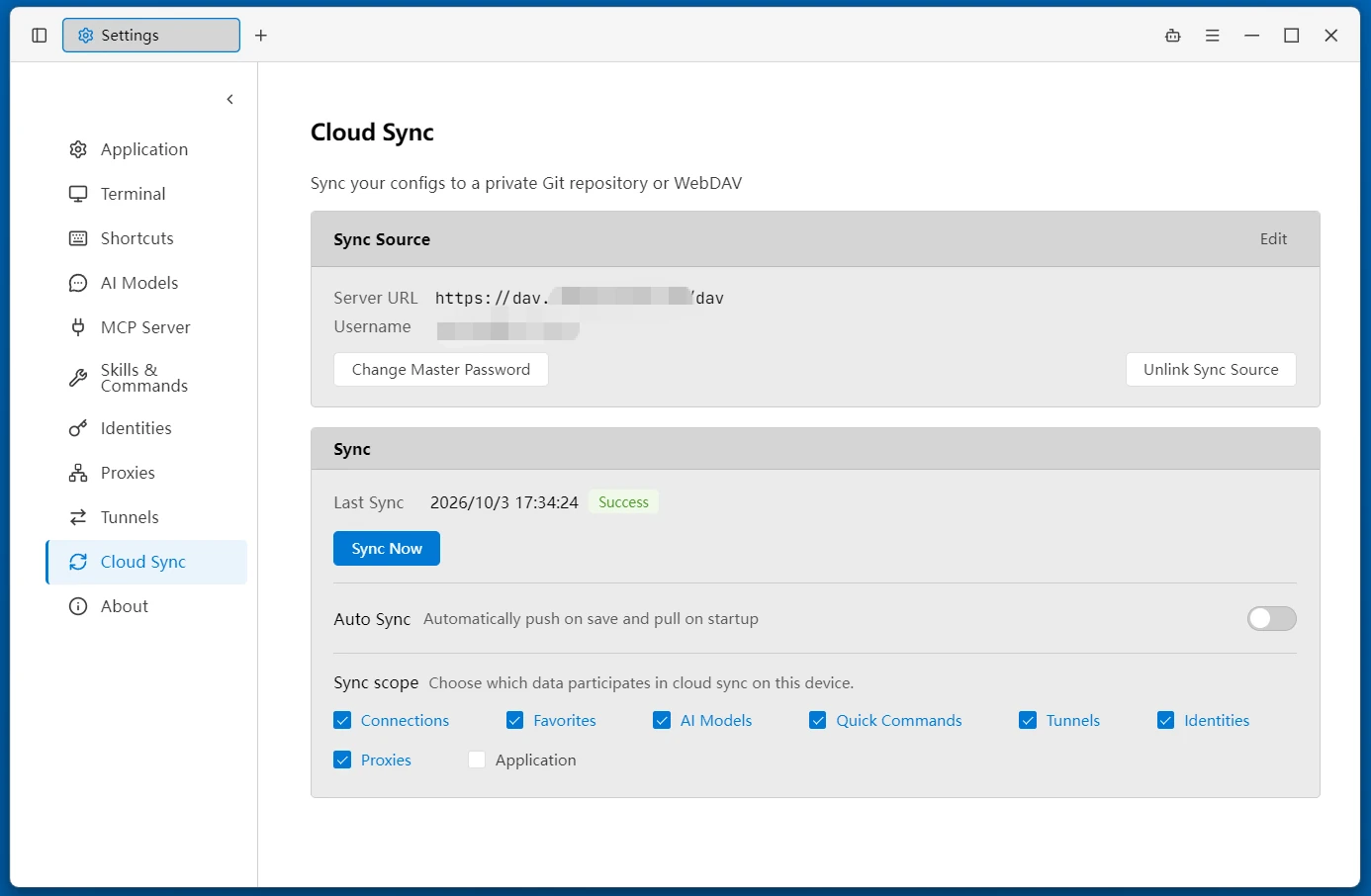
Dual-mode cloud sync over Git or WebDAV: encrypted sync of connections, favorites, and AI settings via your own GitHub / GitLab / Gitee private repository or a WebDAV service — no worries about data loss or leaks, seamlessly transition across devices.
In-App Updates
Automatic failover between GitHub and Gitee sources — download, verify, and install updates in one click within the app.
Custom Keyboard Shortcuts
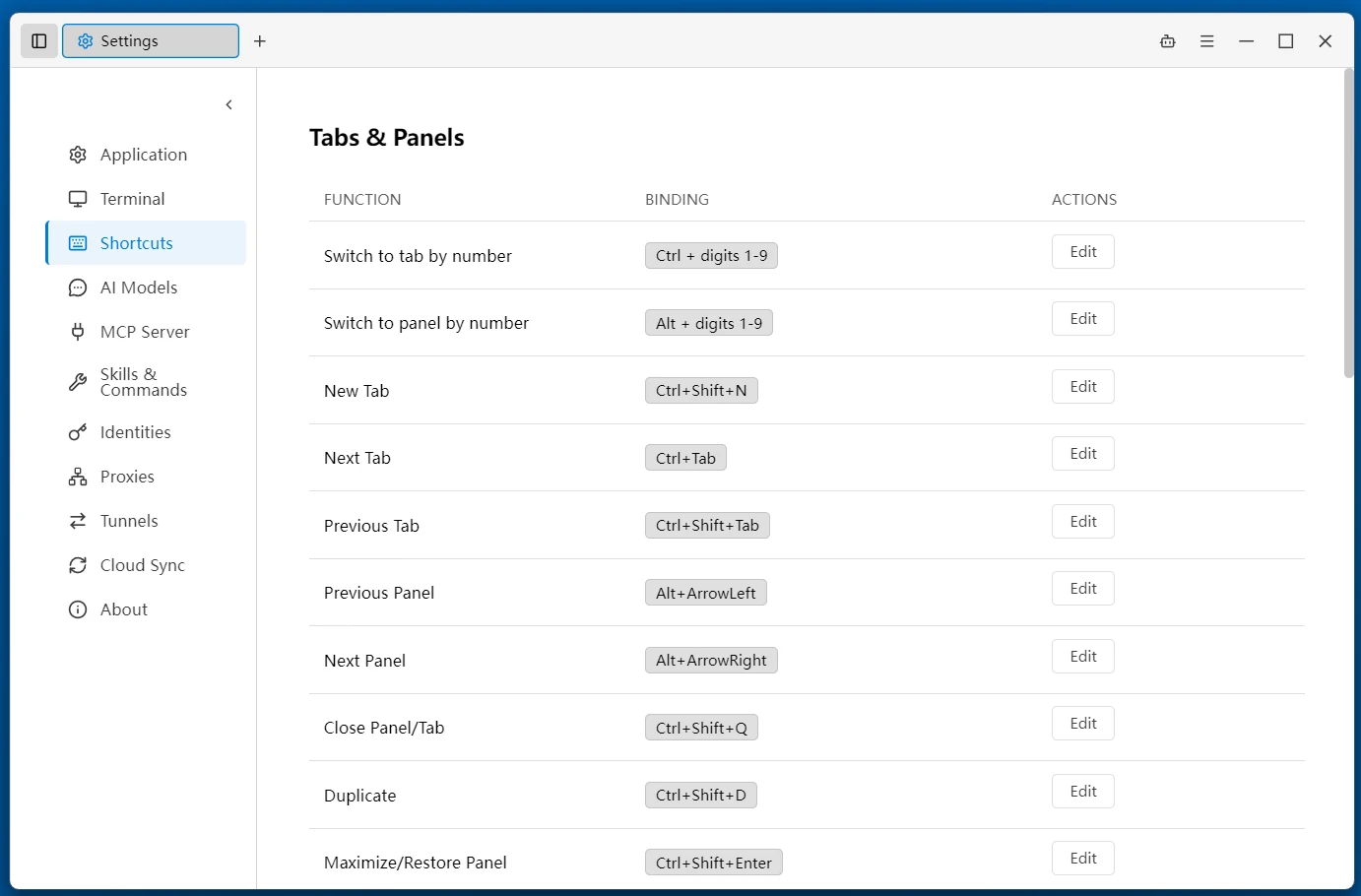
Freely bind keyboard shortcuts for nearly every operation, so your hands never need to leave the keyboard.
Themes
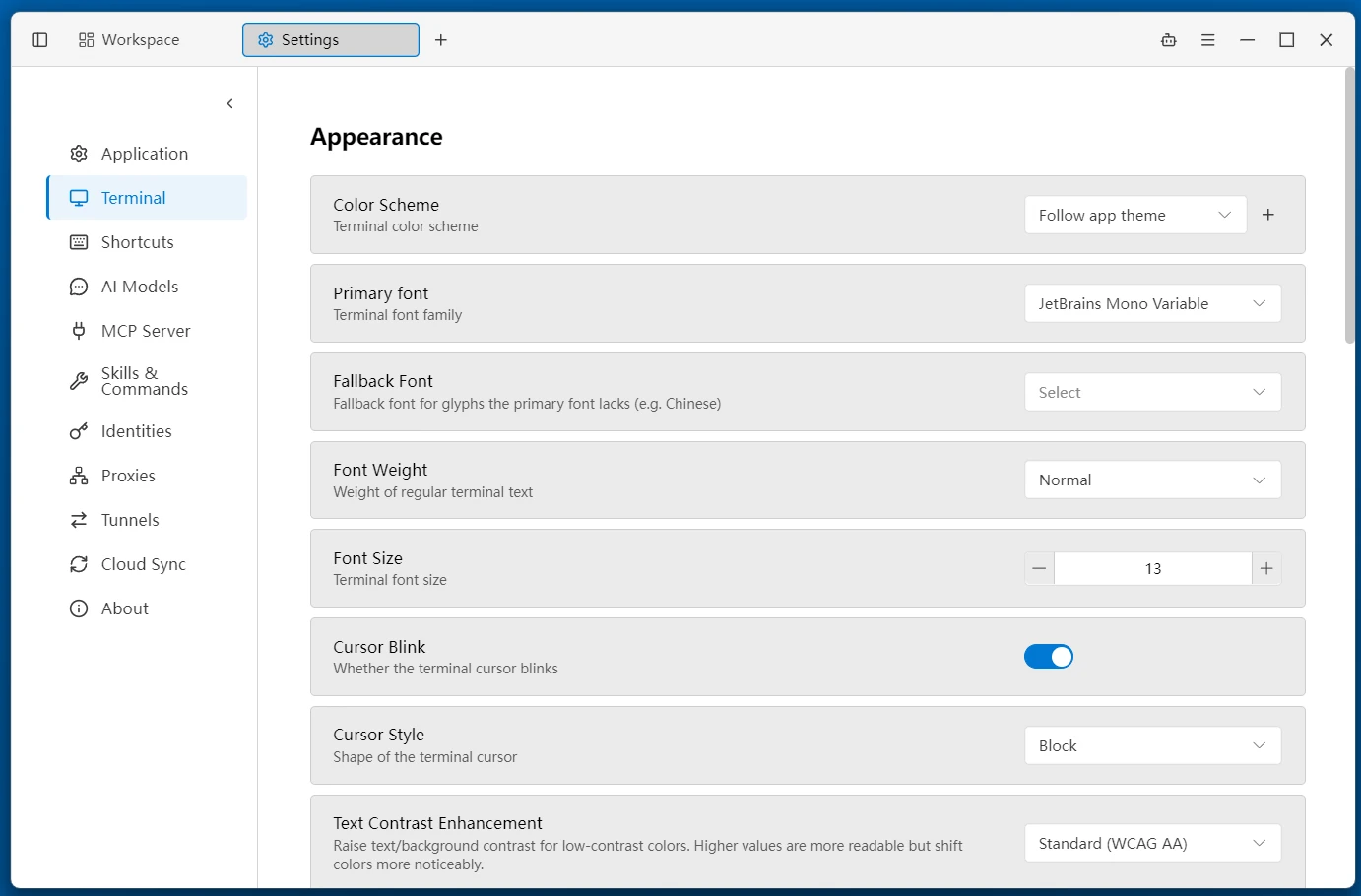
A variety of terminal themes and UI themes, with customizable interface font size, font family, and colors.
Multi-Language
9 interface languages: Simplified Chinese, Traditional Chinese, English, 日本語, 한국어, Deutsch, Español, Français, Русский.
Next Steps
- Getting Started — Download, install, and establish your first connection
- Connection Protocols — Learn how to use each protocol
- Feature Guide — Explore features in depth