Keystore
The keystore provides centralized management of reusable login identities (username + password / private key). Connections reference an identity directly, so you don't have to fill in credentials for every connection.
Managing Identities
Entry point: Settings → Keystore.
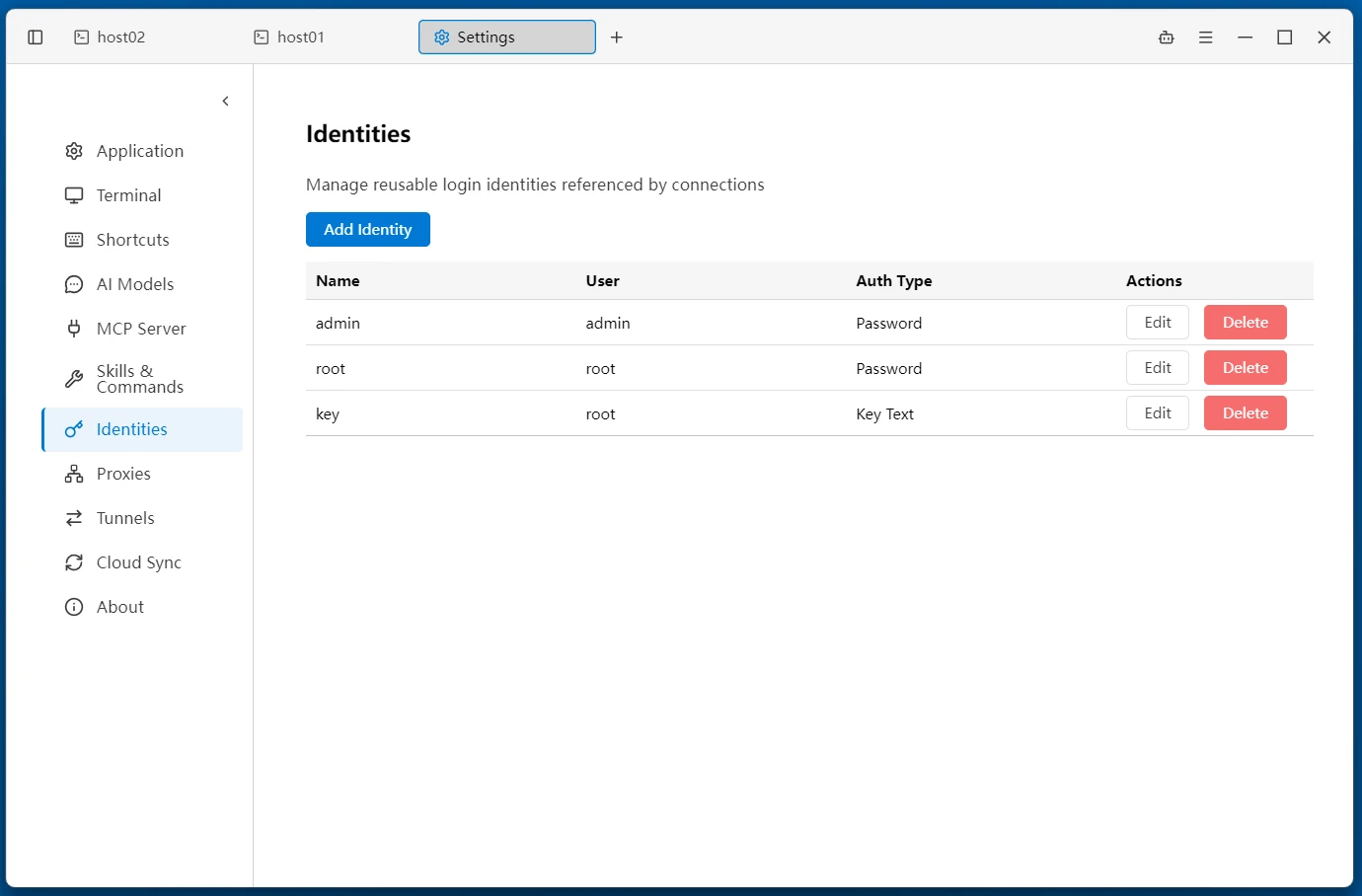
- The list shows each identity's Name / Username / Auth Type
- Click Add Identity to create one; use Edit or Delete inline on each row
- In a connection form, select Identity as the auth type, then use the + button next to the dropdown to create a new identity on the spot; it is selected automatically after saving
Identity Types
Each identity supports three auth types:
| Auth Type | Fields | Description |
|---|---|---|
| Password | Username, Password | Authenticate with a login password |
| Key Path | Username, Key Path, Key Passphrase | Use a private key file on this machine (e.g. ~/.ssh/id_rsa), selected via the file picker |
| Key Text | Username, Key Text, Key Passphrase | Paste PEM private key text inline; it is stored with the identity and portable across machines |
- Name is required
- Key Passphrase is the private key's passphrase; leave it empty if the key is not encrypted
- After switching auth types, only the fields for the current type are kept — no leftover key data from the previous type
Importing Private Keys
- Select a key file — with the Key Path type, click the folder icon at the end of the input and pick a file in the system file picker
- Paste PEM text — with the Key Text type, click "Show private key" and paste
- Import from file — with the Key Text type, click "Import from file"; the backend reads and validates the file, and shows "The selected file is not a valid private key" if no PEM private key header is found
Using Identities in Connections
In the connection form (SSH / SCP / SFTP / Mosh / X11 and other types), select Identity as the auth type and pick an identity from the dropdown — the connection's username and credentials come entirely from the identity.
Other auth methods such as Kerberos and SSH Agent are unrelated to the keystore. See Remote Terminal.
Related
- Remote Terminal — SSH connection and authentication configuration