Remote Terminal
uniTerm supports SSH, Telnet, Mosh, and Raw TCP remote terminal protocols.
SSH
SSH (Secure Shell) is the most commonly used protocol for remote server management, providing encrypted secure connections.
Connection Parameters
| Parameter | Description |
|---|---|
| Host | Server IP or domain name |
| Port | Default 22 |
| Username | Login username |
| Auth Type | Identity (keystore) / Password / Key Path / Key Text / Kerberos / SSH Agent. See Authentication Methods below |
| Password | Required for password authentication |
| Key Path | Select the private key file for key authentication |
| Character Encoding | Terminal charset, default UTF-8. Also supports GBK, GB2312, Big5, Shift-JIS, etc. |
| Backspace Key | Byte sequence sent by the terminal backspace key, default ASCII Delete (0x7F). Also supports ASCII Backspace (0x08) and VT220 Delete (ESC[3~) |
| SSH Tunnel | Select an existing SSH connection as a jump host to forward traffic to the target host |
| Startup Script | Commands automatically executed after the connection is established, one per line, executed sequentially |
| Max Concurrent File Transfers | Maximum number of simultaneous SFTP file transfers, 0 for unlimited |
| X11 Forwarding | When enabled, remote X11 applications can display on the local X Server (macOS requires XQuartz; Windows has VcXsrv built-in) |
| SSH Agent Forwarding | Exposes your local SSH Agent to the remote host, making it easy to continue authentication on a jump host. Only enable on trusted servers |
| Start Recording Log on Connect | Automatically start recording the session log when the connection is established |
Authentication Methods
- Identity (Keystore) -- The first option in Auth Type. References an identity saved in the keystore; the username and credentials are provided directly by the identity.
- Password Authentication -- Enter the password to log in. If the password is not saved, a terminal prompt will appear for input upon connection.
- Key Authentication -- Select an SSH private key file (e.g.
~/.ssh/id_rsa) for passwordless login. Key Path supports a one-click "Use default key" button that fills in a standard OpenSSH key actually present on the machine (id_ed25519/id_rsa/id_ecdsa/id_dsa); clicking again cycles among the keys that exist. - Key Text -- Paste a PEM private key directly, with no dependency on local key files, so it works across machines. The passphrase for an encrypted key goes in "Key passphrase".
- Kerberos (GSSAPI) -- Uses the local Kerberos credential cache. On Windows, the current sign-in session is used automatically; on other systems, run
kinitfirst. Kerberos Realm is optional: for IP targets, requestshost/<IP>@<REALM>; leave it blank for domain-name targets. - SSH Agent -- Uses keys from the local SSH Agent (on Windows, Pageant first, then the Windows OpenSSH Agent; on macOS / Linux,
SSH_AUTH_SOCK). - Keyboard-Interactive Authentication -- Always available as a fallback; automatically enables interactive authentication when password or key authentication fails.
SSH connections also provide an SSH Agent Forwarding switch: it exposes your local SSH Agent to the remote host, making it easy to continue authenticating to the next hop from a jump host. Only enable it on trusted servers.
SSH Tunnel
Traffic from other connections can be forwarded through an SSH tunnel via a jump host, enabling intranet penetration. After selecting an existing SSH connection as the jump host, traffic to the target host will be encrypted and forwarded through that SSH connection. Different usernames and passwords can be specified for the tunnel.
Post-Login Expect
The Expect/Send pattern supports interactive login automation by defining matching rules and send content in sequence:
- expect -- Wait for terminal output matching this text (supports regex, case-insensitive)
- send -- Text to send after a successful match. Supports the
${password},${user}, and${host}variables - enter -- Whether to append a carriage return after sending (default: yes)
- timeout -- Per-step timeout (default 10 seconds, max 120 seconds)
Zmodem File Transfer
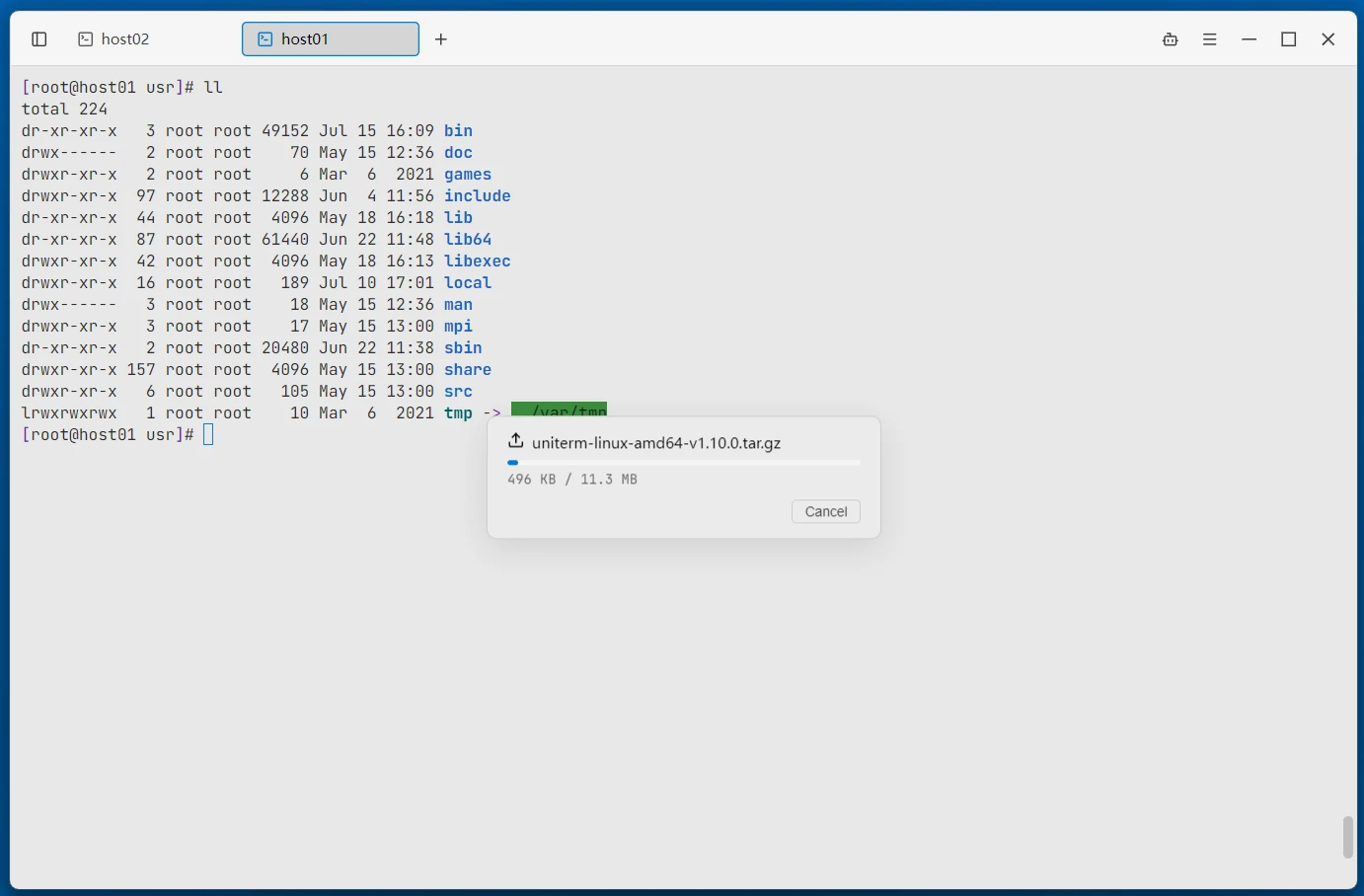
In an SSH terminal, you can directly use the rz (receive files) and sz (send files) commands to transfer files without opening the file browser. Dragging files from the desktop onto the terminal window for direct upload is also supported (transferred via native paths, with no size limit).
- Default download directory -- You can specify the ZMODEM download directory in Settings. Files received with
szare saved directly to this directory; leave it empty to choose a location for each transfer. - No key press after transfer -- The shell prompt resumes automatically once an rz/sz transfer completes; the terminal also recovers normally after a cancelled download.
X11 Forwarding
With SSH X11 forwarding, graphical application windows from a remote Linux server can be displayed directly on the local desktop.
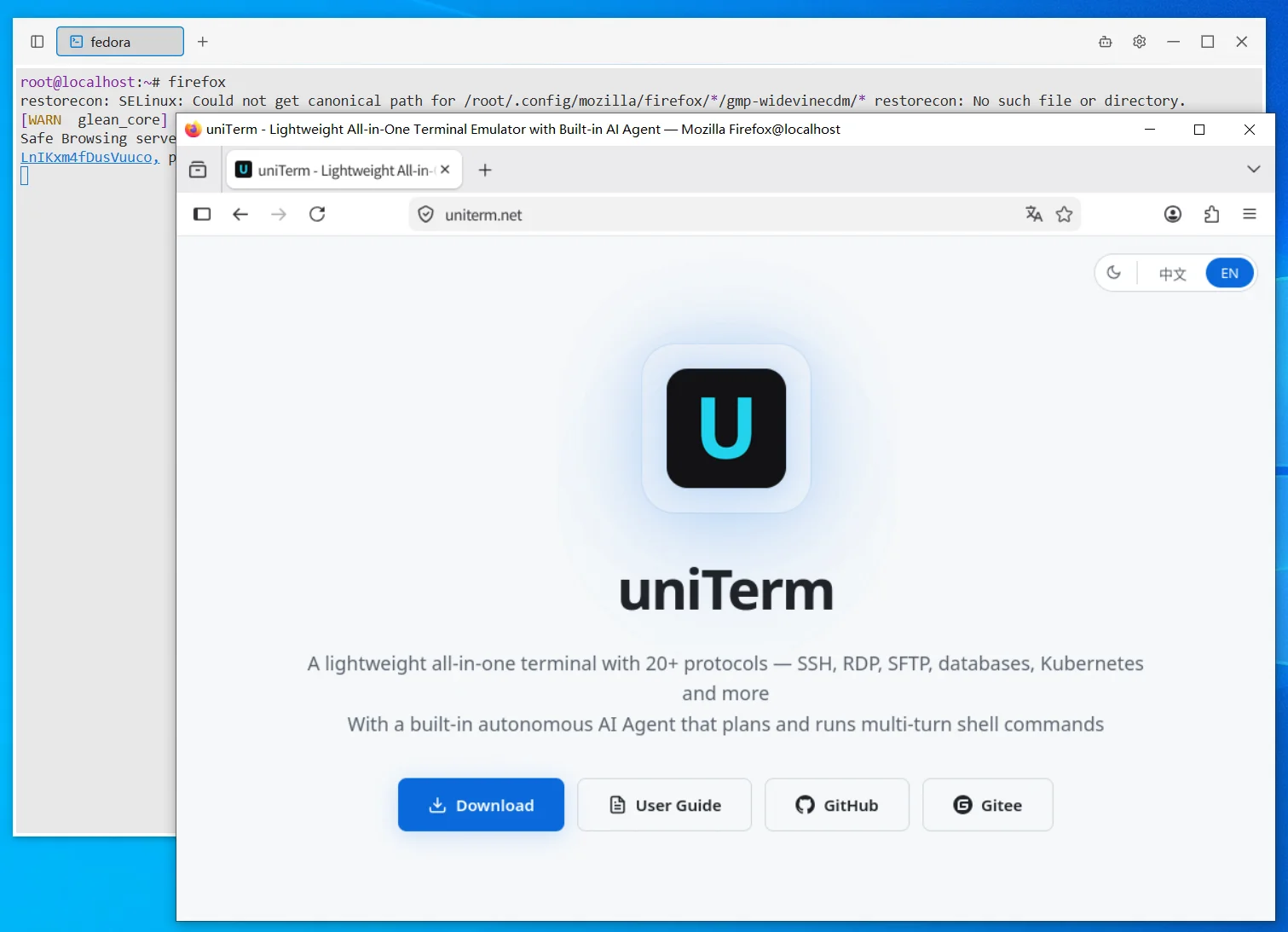
The Windows version includes the VcXsrv X Server built-in, ready to use out of the box. macOS users need to install XQuartz (
brew install --cask xquartz).
SSH Terminal Tab Operations
Tabs support drag-to-reorder and dragging into the split area. Right-click a tab to open a context menu:
| Menu Item | Description |
|---|---|
| Duplicate | Duplicate the current session in a tab next to it |
| Reconnect | Disconnect and reconnect the current session |
| Copy Host Address | Copy the target host address to the clipboard |
| Connect SFTP / Connect SCP | Open the file panel on the current connection (shown according to the file transfer protocol configured for the connection) |
| Upload File (rz -be) | Send the rz -be command to the terminal to receive files remotely |
| Server Monitor | Open the server monitoring panel on the current connection |
| Broadcast to this tab | Add the current tab as a broadcast target, so input is synchronized to all broadcast terminals |
| Text Search | Search for keywords in terminal output |
| Export to Text | Export current terminal output as a text file |
| Start / Stop Recording Log | Start or stop recording the session log at any time; you can also open the log folder |
| Locate Connection | Locate the current connection in the sidebar connection list |
| Lock Tab | Lock AI operations on this terminal |
| Close / Close Other Tabs / Close Tabs to the Right | Close tabs |
Telnet
Telnet is a simple plain-text remote terminal protocol, commonly used for connecting to embedded devices, network equipment, and legacy systems.
Connection Parameters
| Parameter | Description |
|---|---|
| Host | Device IP or domain name |
| Port | Default 23 |
| Username | Login username (optional, sent automatically after connecting) |
| Password | Login password (optional, sent automatically after the username) |
| Character Encoding | Terminal charset, default UTF-8. Also supports GBK, GB2312, Big5, Shift-JIS, etc. |
| Backspace Key | Byte sequence sent by the terminal backspace key, default ASCII Delete (0x7F). Also supports ASCII Backspace (0x08) and VT220 Delete (ESC[3~) |
| Negotiation Mode | Active (default) or passive; affects which side initiates Telnet option negotiation |
| Send Mode | Character-at-a-time (default) or line-at-a-time |
| Local Echo | When enabled, input characters are echoed locally; when disabled, echo is handled by the server |
| Newline Mode | CR (default) or CR+LF |
| SSH Tunnel | Select an existing SSH connection as a jump host to forward traffic to the target host |
| Startup Script | Commands automatically executed after the connection is established |
| Start Recording Log on Connect | Automatically start recording the session log when the connection is established |
Warning: Telnet transmits data without encryption. Use only on trusted networks.
Mosh
Mosh (Mobile Shell) is designed for high-latency and intermittent networks. Based on UDP transport, the connection does not drop when switching networks (e.g. Wi-Fi to 4G).
Connection Parameters
Same as SSH. uniTerm first connects to the server via SSH, then automatically starts mosh-server to establish a UDP session.
| Parameter | Description |
|---|---|
| Host | Server IP or domain name |
| Port | SSH port, default 22 |
| Username | Login username |
| Auth Type | Identity (keystore) / Password / Key Path / Key Text / Kerberos / SSH Agent |
| Character Encoding | Terminal charset, default UTF-8. Also supports GBK, GB2312, Big5, Shift-JIS, etc. |
| Backspace Key | Byte sequence sent by the terminal backspace key, default ASCII Delete (0x7F). Also supports ASCII Backspace (0x08) and VT220 Delete (ESC[3~) |
| Startup Script | Commands automatically executed after the connection is established |
| Start Recording Log on Connect | Automatically start recording the session log when the connection is established |
Note: The server must have
mosh-serverinstalled before using Mosh. Mosh does not support SSH tunnels or the Expect/Send pattern.
Smart Completion
While typing a command in the terminal, completion suggestions pop up automatically below the input box. Use ↑ / ↓ to select, Enter to accept, and Esc to dismiss. Sources include:
- History -- Prefix and fuzzy matching from command history, with matched characters highlighted
- Quick Commands -- Matches the names and contents of saved Quick Commands
- AI Transcription -- AI suggests command rewrites based on the current input context (must be enabled in Settings with an API key configured)
Smart Completion and AI Transcription can be turned on or off globally in Settings.
Raw TCP
After connecting to host:port, raw byte streams are sent and received directly, suitable for debugging all kinds of bare TCP services. Use the "Connect TCP" entry in the sidebar to create one quickly.
Connection Parameters
| Parameter | Description |
|---|---|
| Host / Port | Target address and port |
| Character Encoding | Terminal charset, default UTF-8 |
| Backspace Key | Byte sequence sent by the terminal backspace key, default ASCII Delete (0x7F). Also supports ASCII Backspace (0x08) and VT220 Delete (ESC[3~) |
| Local Echo | When enabled, sent content is displayed locally |
| Newline Mode | CR (default) or CR+LF |
Related
- Server Monitor -- Real-time SSH server monitoring
- Getting Started -- First connection tutorial
- Local -- Local Shell and Serial